Restore Windows 11 Combine Taskbar Buttons
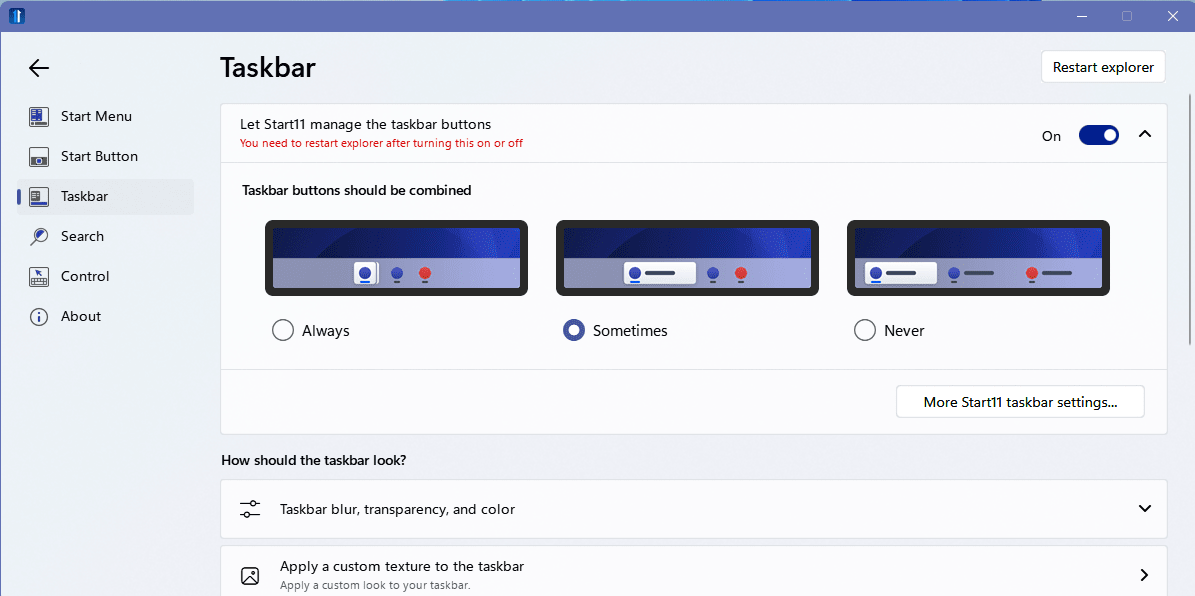
Starting with Windows 11 Microsoft has removed the feature to disable the combining of taskbar buttons. The option named “Combine taskbar buttons’ is not longer available. For many that is a deal breaker. That includes myself. In this post I present a two options to get it back.
I regularly have multiple programs open at one time in addition to many open folders. In previous versions of Windows I could simply set the Combine taskbar buttons option to never, which enabled me to see all open programs and folders at a glance simplifying my workflow tremendously. I simply could not work without it. I invested a couple of hours of research and thankfully there is a fix.
Here are the two reliable options I found at the time of writing this post. While both do the job, I settled on startallback.
StartAllBack
https://www.startallback.com/
Start 11
Linkhttps://www.stardock.com/products/start11